Koala Olo Menu Partners: Scheduling Product Availability
This article is for Koala's Enterprise customers that are using Olo. Olo allows Brand Menu Admins to schedule product and modifier availabilities by date and time in the Olo dashboard. In this article you will find tips that should be kept in mind when configuring availabilities.
Using Date Range Availability
Selecting a start date and end date effectively sets Midnight as the start time and end time. As a result, product availability excludes the selected end date.
Use Case & Suggested Configurations
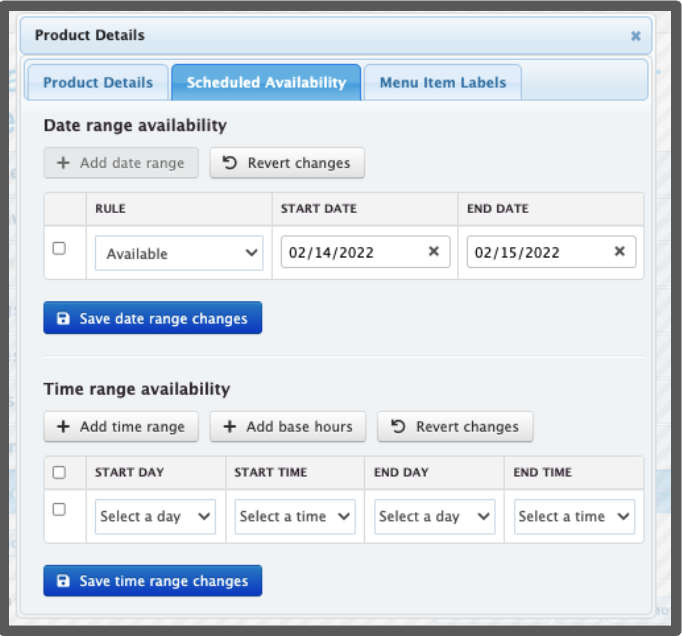
A full-day, holiday special - Set the start date to the first date on which the product should be available. Set the end date to the first date the product should no longer be available. For example, a 1-day-only Valentine's Day special should start on February 14 and end on February 15.
Using Time Range Availability
Users are able to select both a start date and start time, as well as an end date and end time.
Note: 12:00am is the start of a day. So, Sunday 12:00am - Monday 12:00am means a product will only appear for 24 hours on Sunday, and will be removed on Monday.
Use Case & Suggested Configurations
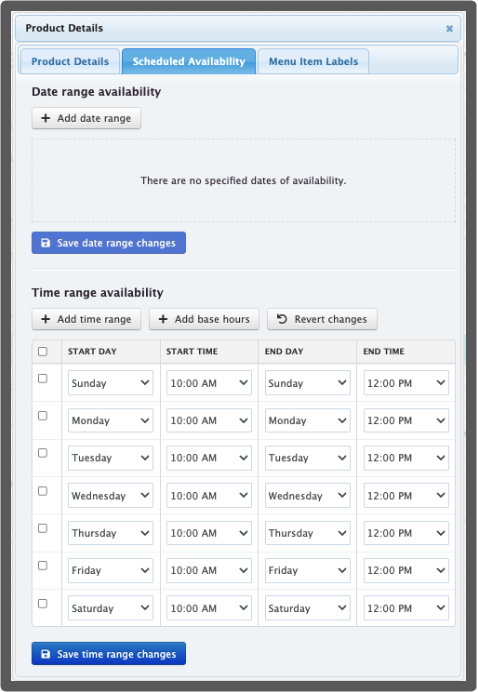
A daily breakfast special - Add a time range for each day the item is available. For example, the setup above will surface pancakes daily from 10am-12pm.
Using Both Date and Time Range Availability
Brand admins may combine Date and Time range availabilities.
Use Case & Suggested Configurations
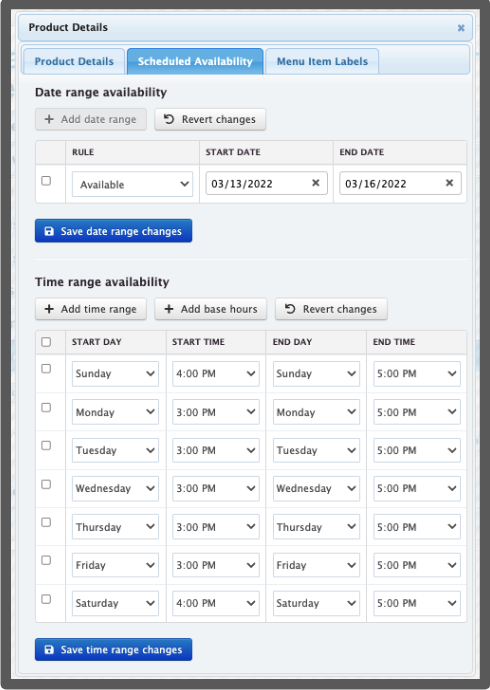
A holiday special with limited hours - Add date range availability per the logic above. Then, add time range availabilities to specify hourly availability per day. For example, the setup above can be used for a three-day Pi Day pie special that goes from March 13 to March 15. If the special is running on a weekday, it will be available from 3-5pm and if it is running on a weekend, it will be available from 4-5pm.